Compose AI development workflows. Keep humans in the loop.
Start a Run from one prompt, let reusable Agents carry it through your Flow on T3, and
step in only when a decision needs you. Factory keeps every handoff, result and question
in one place.
v0.10.0 · Apple Silicon · signed & notarized .dmg · MIT licensed
FEATURES
Your process, as a Flow you can run.
Factory does not impose a development process. You decide the blocks and exits.
START
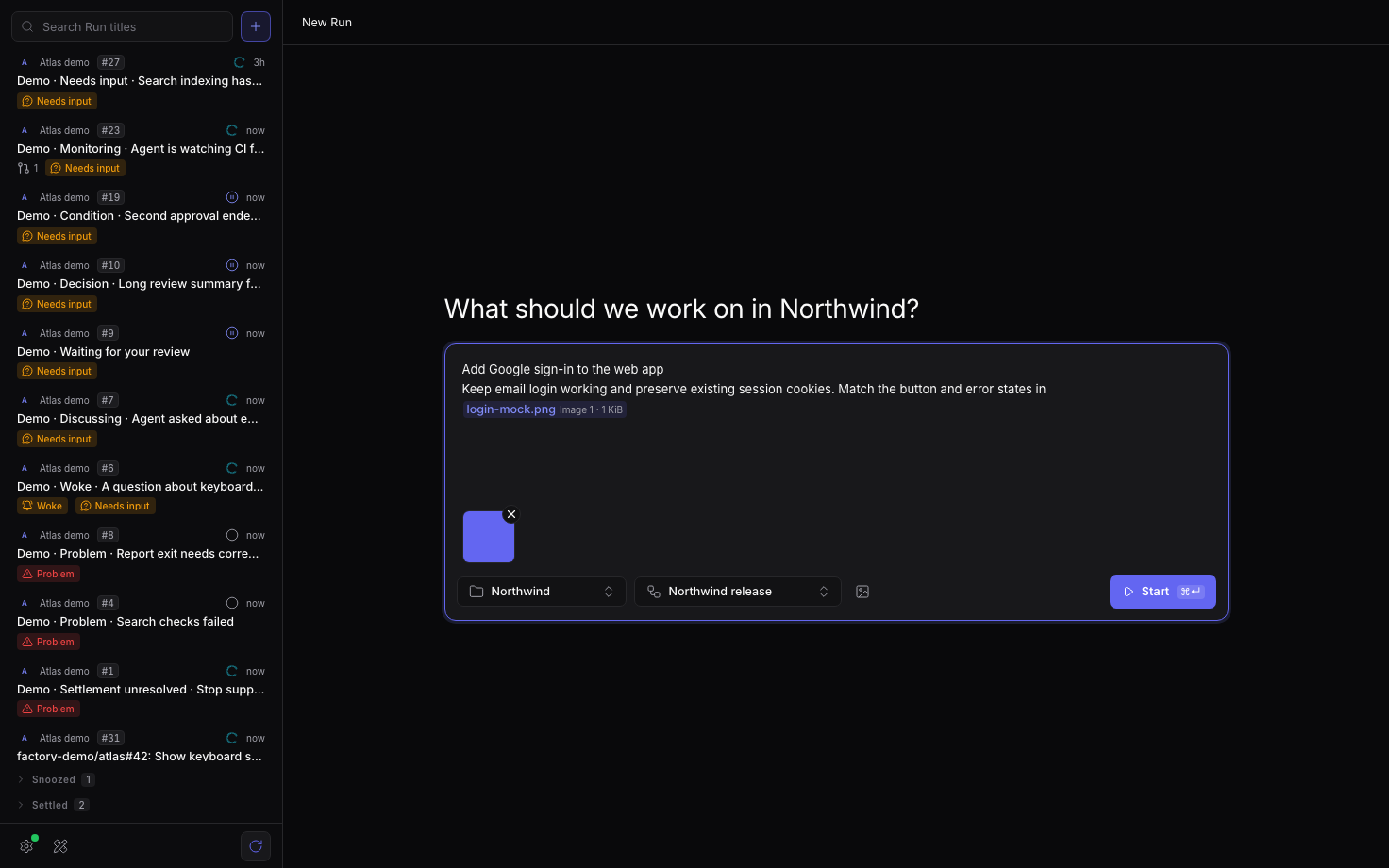
Start from one prompt
Describe the work in one focused box, pick the project and Flow, and paste or drop
screenshots right into the prompt. Every worker receives the same original images.
Screenshots
referenced inline
Run titles
written for you
Drafts kept
until you Start
DESIGN
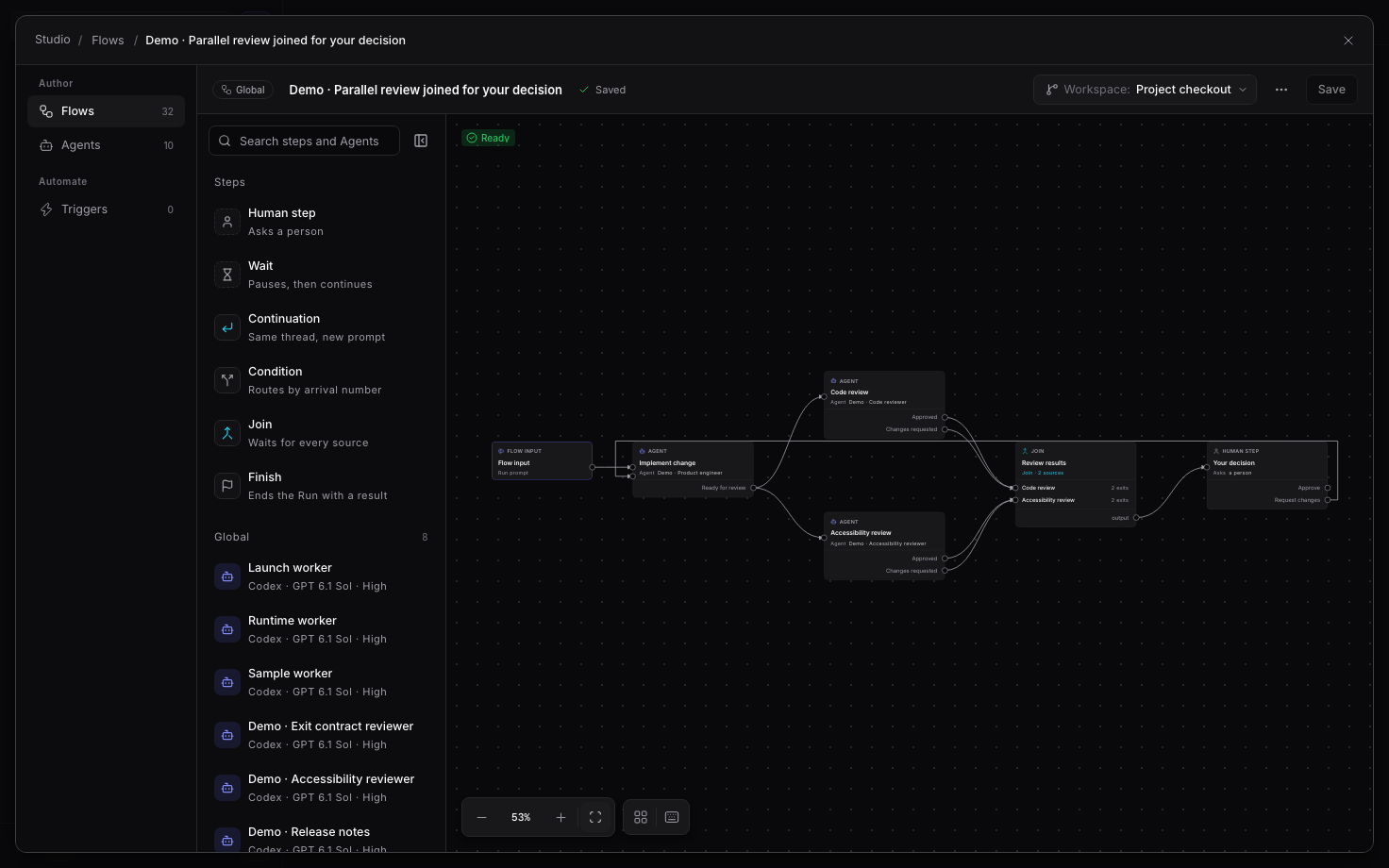
Flows that branch, join and compose
Connect Agents, Human steps, Continuations and Waits with named exits and
correction loops. Route by arrival with Conditions, synchronize parallel branches
with Joins, nest saved Subflows and declare named Finish endings.
Subflows,
Conditions, Joins & Finish endings
Continuations,
Waits & correction loops
Readiness checks
before Start
RUNS
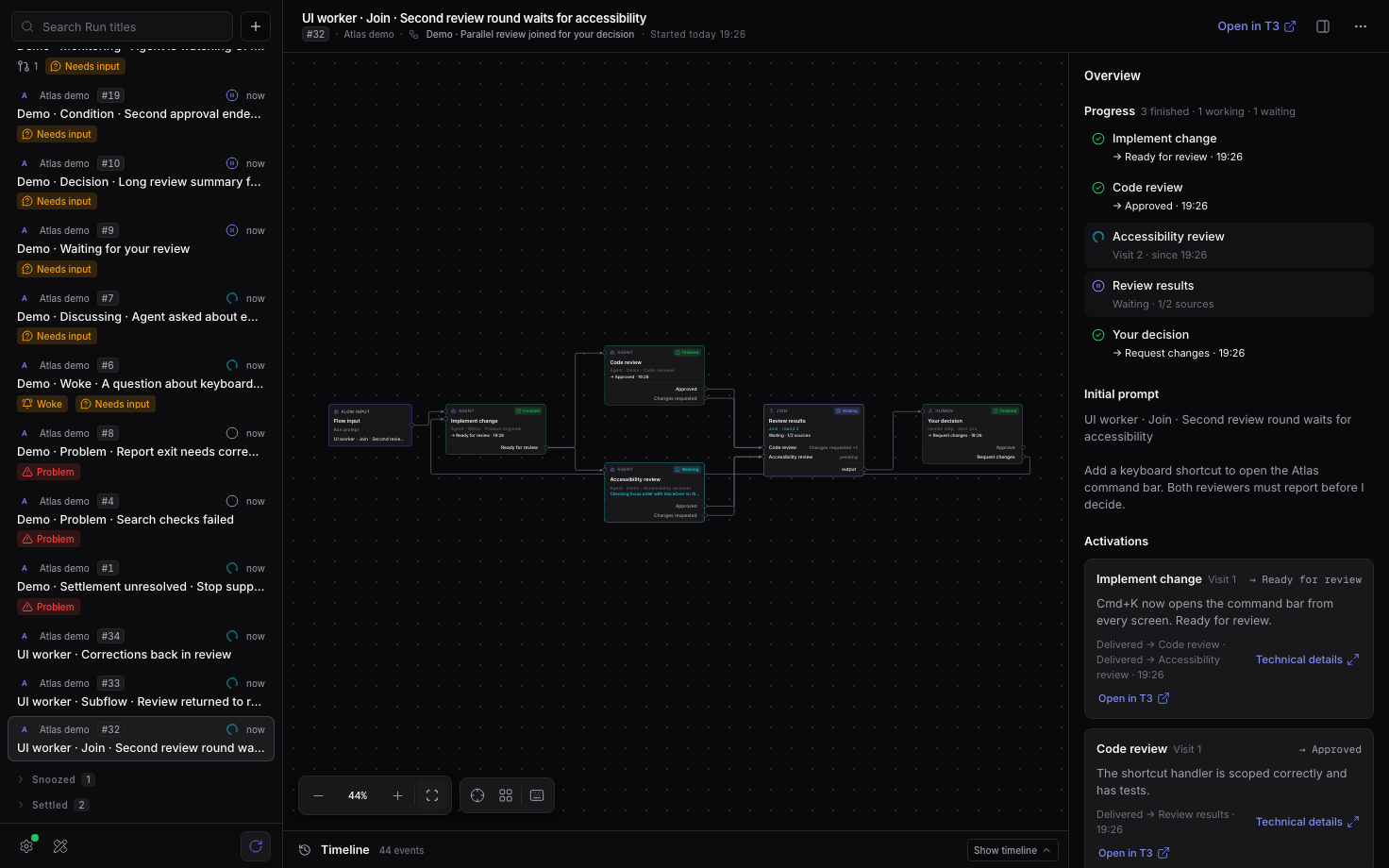
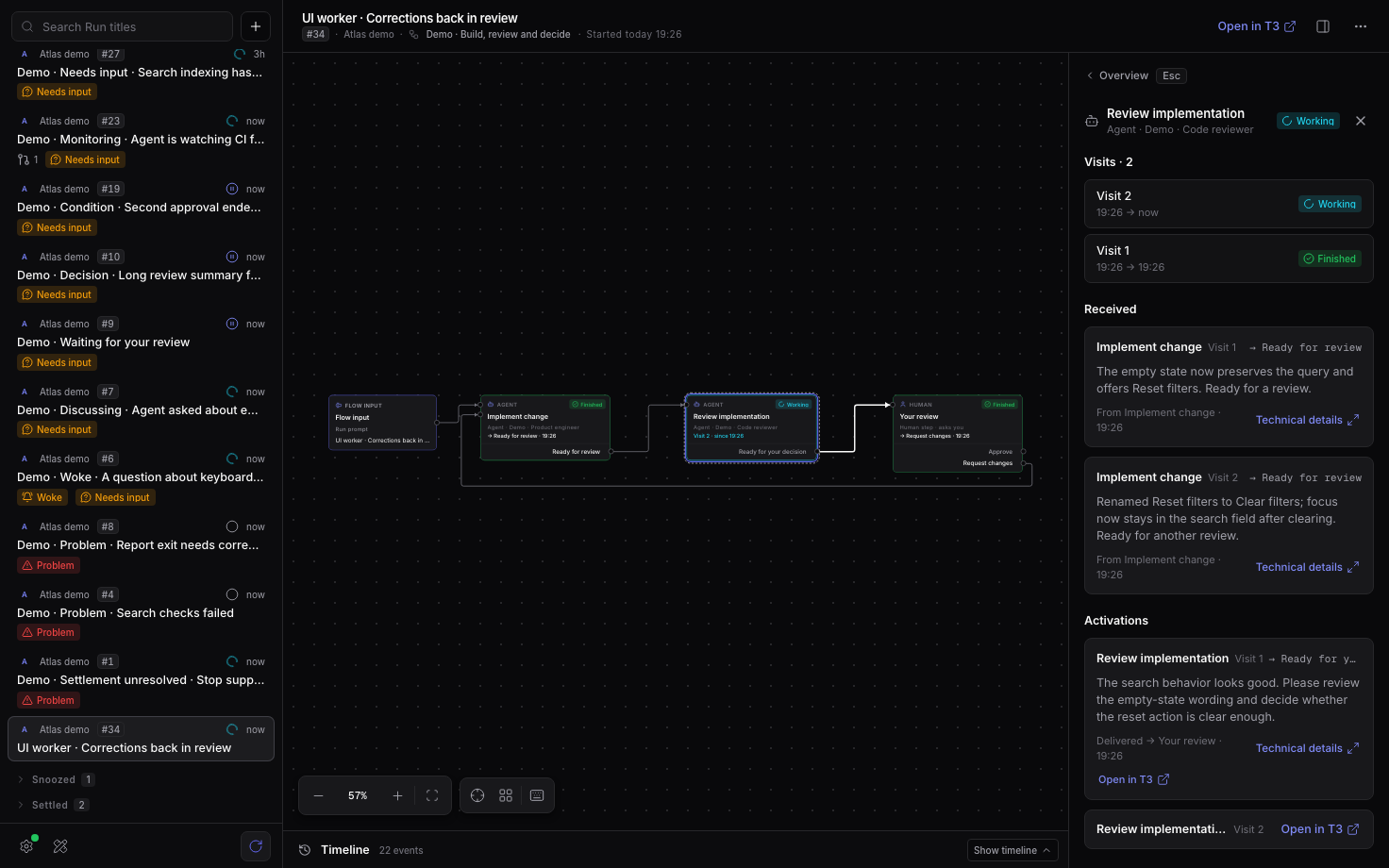
Follow every Run at a glance
The canvas follows active blocks and highlights outgoing connections while one
docked inspector shows progress, visits, pull requests and results. The timeline
keeps key events up front.
Canvas follows
active blocks & highlights connections
One docked
inspector
Key events,
full history on demand
DECISIONS
Read the result, then decide
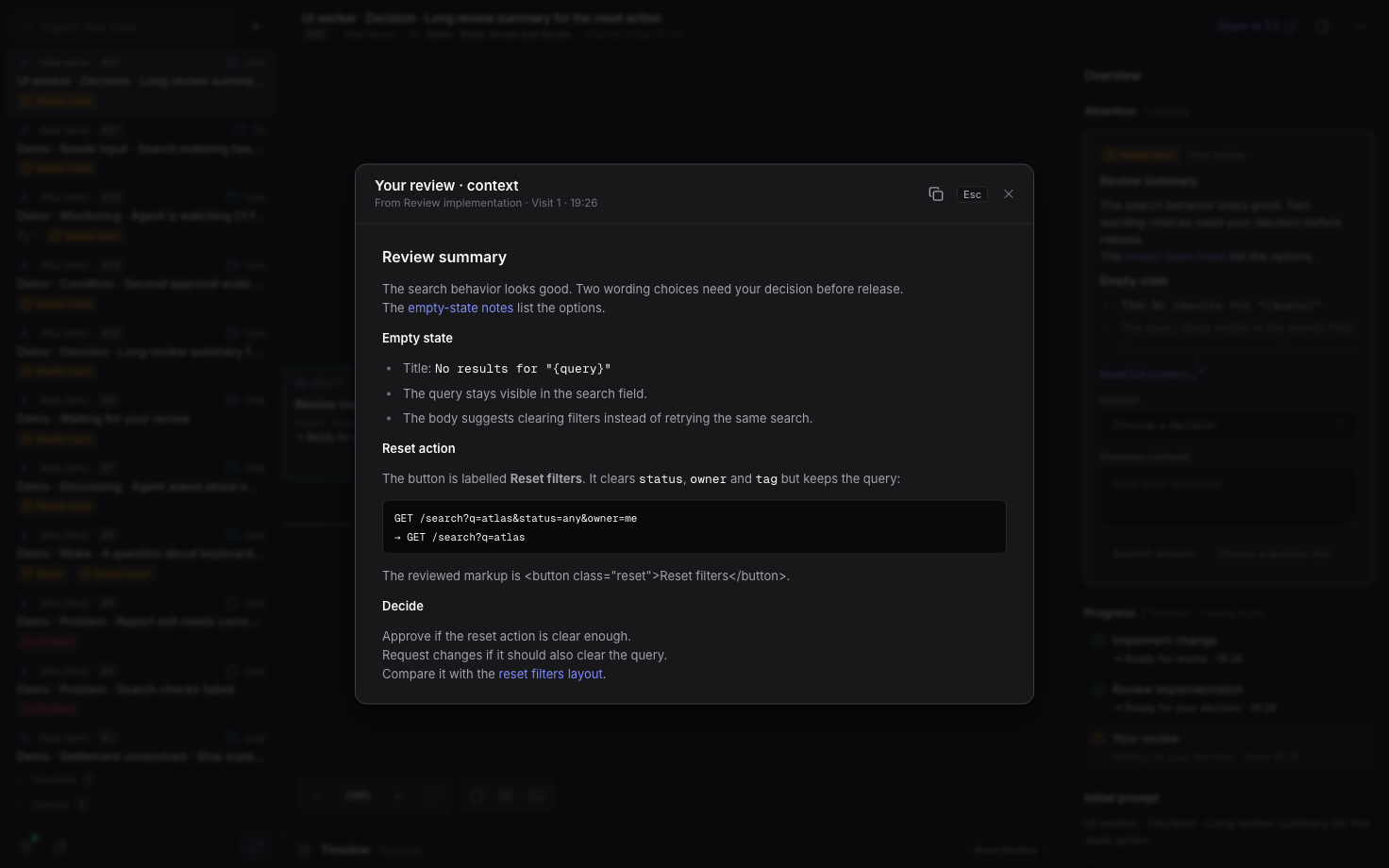
Open any handoff as a formatted Markdown report with headings, code blocks and
open questions. Answer Human steps in Factory, or jump to the exact T3 thread when
an agent asks.
Formatted
Markdown result reports
Needs input and
Problem states
Named Finish
endings, Settle or Archive
AGENTS
Reuse and share Agents
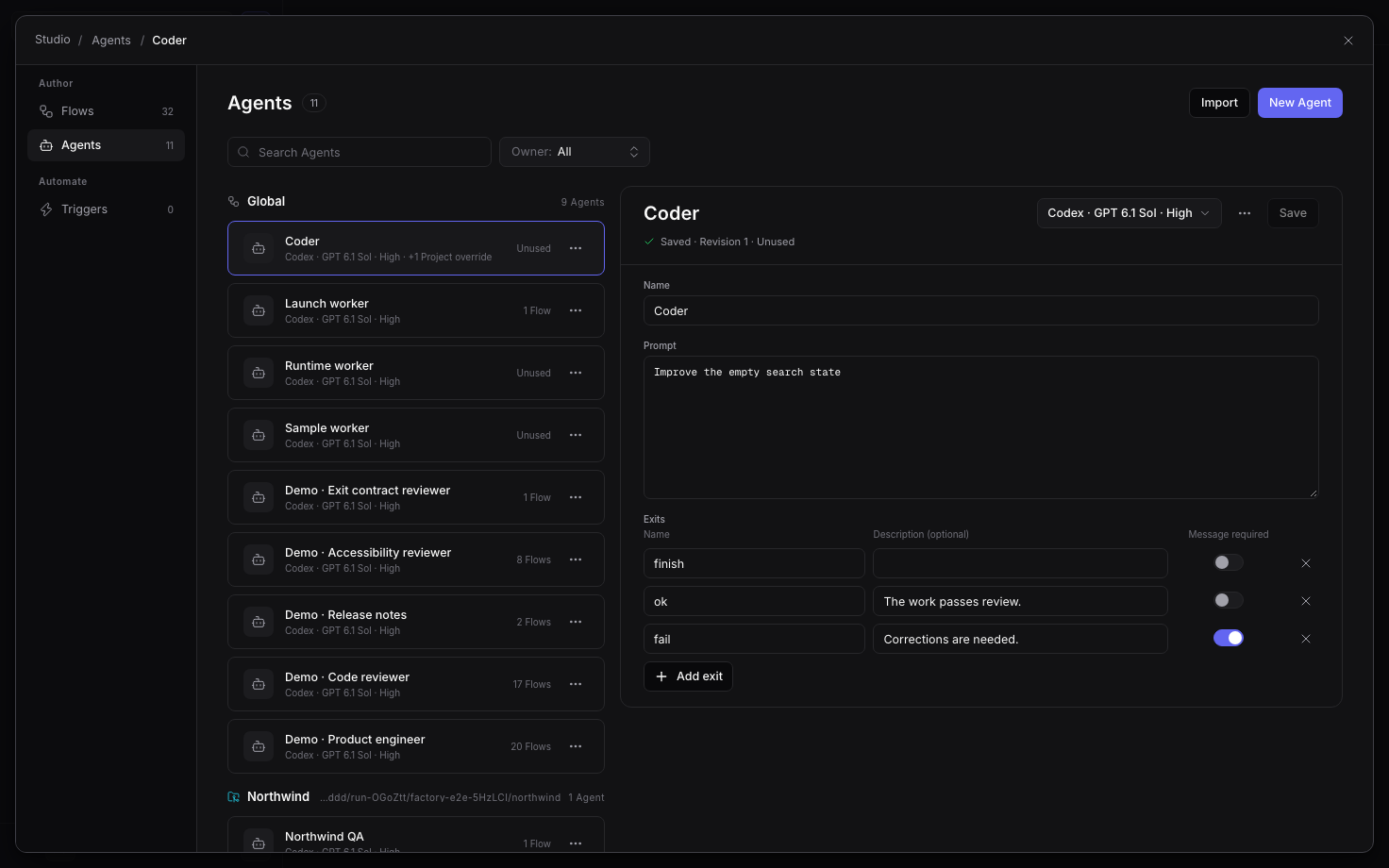
Save a prompt, exits and worker settings once and reuse the Agent across Flows.
Keep definitions global with per-project Worker overrides or owned by one Project,
and share them as JSON.
Global &
Project-owned definitions
Per-project
Worker overrides
JSON
import/export & immutable revisions
Works where you already work.
Start Runs from GitHub issues, your agent chat or Discord, let agents author Flows and
Triggers, and tailor Factory to your setup.
GitHub Issues Triggers
Start Runs automatically from open GitHub issues matching your query, up to a cap on
active Runs, on a schedule or on demand.
Start from T3 Code
Ask the agent in a T3 Code conversation to start a Factory Run through MCP, with the
same readiness checks as New Run.
Agents author Flows & Triggers
Factory MCP lets an agent create, edit, check and remove Agents, Flows and Triggers.
Open Studio views refresh live.
Chat control on Discord
Start and follow Runs from Discord with live status cards, notices, listed bots and
typed reply confirmation. Off until you turn it on.
Import and export
Share Agents and Flows as JSON files with optional model hints. Imports open for
review before saving.
Custom color themes
Light and Dark modes with per-device JSON color themes compatible with T3 theme
files, validated for readability.
Keyboard-first
Command palette, customizable shortcuts, a cheat sheet and a native macOS menu that
stay in sync.
Guided setup & reporting
A one-time First-run setup connects T3 and installs Factory MCP reporting for
Claude, Codex, Cursor, Grok, Antigravity and Mistral Vibe.
Desktop notifications
Native notifications and a Dock badge count Runs that need your input or hit a
Problem, without watching the window.
Built to run where your code lives.
Local-first
Factory stores Flows, Agents and Run history on your machine. No cloud account.
Powered by T3 Code
T3
provides the agent conversations and execution; Factory routes the work.
Approved devices
Use the browser on the host, or approve a desktop or browser client over HTTPS.
Open source
MIT licensed. Try the simulated demo without T3, credentials or paid model work.
Get T3 Factory
Free and open source. Signed and notarized for macOS on Apple Silicon.